
How to Start an Online Team Store for Leagues
Last Updated: October 30, 2026
Quick Summary
To start an online team store for leagues, confirm your apparel supplier first, then choose a platform and build the league structure before adding products. Set up admin roles, a shared master catalog, store windows, pricing, and a fulfillment model before launch.
- Score platforms 1 to 5 on catalog control, sizing, payment, fulfillment, and turnaround.
- Build the league as the top-level organization and each team as its own section.
- Use three roles: league administrator, team manager or coach, and parent or buyer.
- Limit the catalog to a jersey, practice shirt, hoodie, hat, and one fan item.
- Set the delivery date from the supplier's written lead time, not from hope.
Table of Contents
- Step 1: Choose a Team Store Platform for Leagues
- Step 2: Set Up Your Online Team Store and Product Catalog
- Step 3: Build a Team Apparel Order Form Template
- Step 4: Set Pricing, Margins, and Payment Flows
- Step 5: Plan Fulfillment, Shipping, and Returns
- Step 6: Use Team Store Fundraising Ideas to Boost Sales
- Step 7: Learn How to Promote a Team Store to Families and Fans
- Launch Your League Store with Prime Sports
- Frequently Asked Questions
Step 1: Choose a Team Store Platform for Leagues
The right platform decides how much work lands on you. An online team store is a hosted storefront where players, parents, and fans order approved apparel and gear for a set window.
Start with a decision framework. Score each platform from 1 to 5 on these criteria:
- Catalog control: Can you lock approved products so families only see what the league sanctioned?
- Sizing accuracy: Does it show size charts per brand, not one generic chart?
- Payment handling: Do parents pay the platform directly, or do you chase checks?
Write the scores down. The highest total wins, not the prettiest demo.
Watch out: the most common mistake is picking a store builder before confirming the apparel supplier behind it.
Step 2: Set Up Your Online Team Store and Product Catalog
Setup is where a league store becomes simple or turns into a spreadsheet nightmare. The difference between a one-team store and a league store is governance: who can add products, who approves logos, and how you keep 12 teams from looking like 12 different brands.
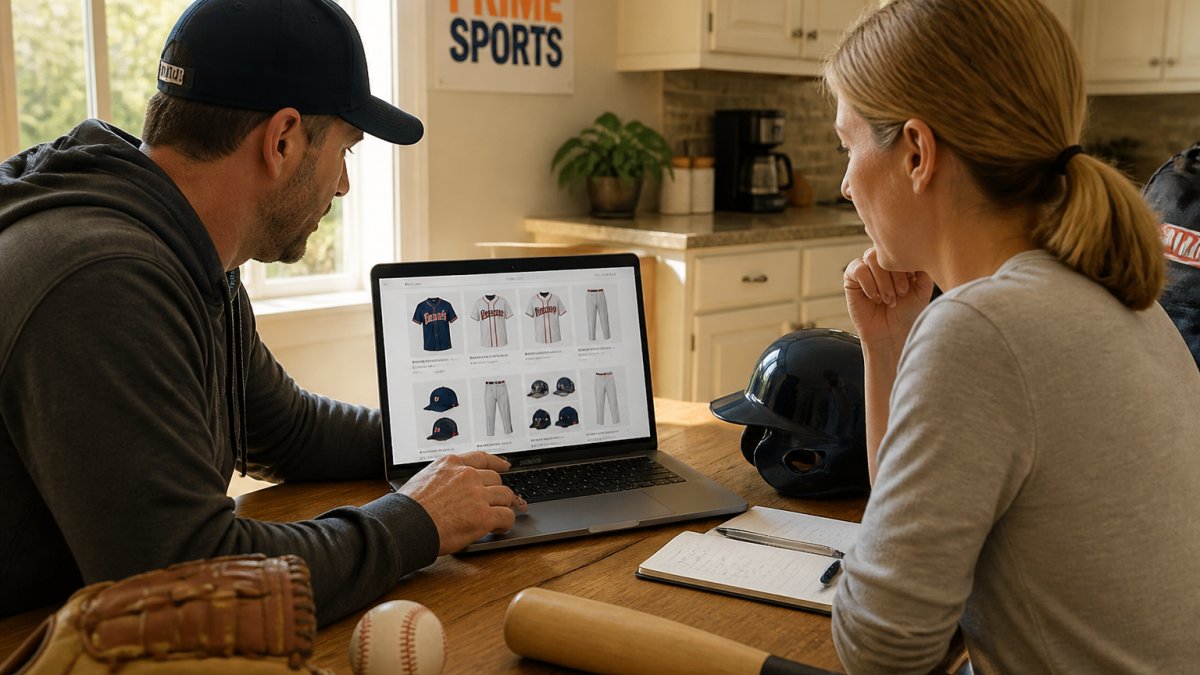
Set Up the League Structure Before You Add a Single Product
Create the league as the top-level organization, then build each team as its own section underneath it so parents never scroll past a rival team's gear. A league-level structure gives you three things a flat store cannot:
- One shared catalog. You publish approved products once at the league level, then assign them to teams. No one re-enters the same hoodie 12 times.
- Consistent branding. League colors, logo placement, and fonts are set once and inherited by every team store.
- Clean reporting. You can see sales by team, by product, and by league in one place instead of stitching together 12 reports.
A common pattern is a three-tier role model:
- League administrator, full access: creates teams, sets the master catalog, approves logos, and pulls league-wide reports.
- Team manager or coach, limited access: can select from approved products, set their team's store window, and view their team's orders, but cannot change pricing or add unapproved items.
- Parent or buyer, storefront access only: sees their team's products, pays at checkout, and tracks their order.
Write these roles down before you invite anyone in. Most setup headaches come from giving every coach full admin rights and then discovering a team selling an unapproved item two weeks before the season.
Selecting Apparel and Gear for Each Team
Limit the catalog on purpose. A tight list of approved products sells better than a huge one. Most leagues do well with a jersey, a practice shirt, a hoodie, a hat, and one fan item.
Build the master catalog at the league level, then let each team choose from it.
Set a store open and close date for every team. A fixed window creates urgency and gives your supplier a clean production run.
Adding Logos, Branding, and Custom Designs
Get vector logo files before you build anything. A low-resolution phone photo will print badly, and reprints cost money.
For leagues designing logos from scratch, our guide on how to design custom team logos walks through the full process. Then apply one rule: same logo, same placement, same colors across every team.
Run every team logo through a single approval step before it goes live.
Step 3: Build a Team Apparel Order Form Template
A team apparel order form template is the fixed set of fields every family fills out at checkout. Build it once, reuse it for every team. Here is the template we recommend:
- Player name (as it should appear)
- Team and jersey number
- Adult or youth size, per item
Two fields cause most problems: sizing and personalization. Link a size chart to every product, and require buyers to confirm their size before paying. For personalization, spell out the exact format, like "LAST NAME, number."
Watch out: a missing or misread personalization instruction is the number one reason a custom order gets remade. Have a second person check every personalized order before it goes to production.
Step 4: Set Pricing, Margins, and Payment Flows
Pricing depends on quantity, decoration method, and delivery dates, so there is no single number to quote. Get a written per-item quote from your supplier before you publish anything, then build the store price from that.
A simple approach many leagues use:
- Set the family price at the supplier cost plus a small league margin.
- Decide up front whether the margin funds the league or just covers fees.
- Collect payment online at checkout so no one chases cash.
Payment flow matters more than people think. For coaches who still handle money manually, our guide on managing team uniform payments covers the practical side.
Step 5: Plan Fulfillment, Shipping, and Returns
Fulfillment is where leagues get burned. Decide three things before launch: who ships, how orders are bundled, and how returns work. Write the answers into the store page so families know what to expect.
Choose a Fulfillment Model
There are three common models for league stores, and each has a clear trade-off:
- Individual shipping. Each family's order ships home. Easiest for the league, hand the order list to the supplier and step out of the way, but usually carries a per-order shipping charge and puts the carrier in the middle of every delivery question.
- Bulk delivery to the league. The supplier ships all orders to one address, and volunteers sort and distribute. Lowers per-item shipping cost and keeps the league in control of handoff, but puts sorting labor on volunteers and requires a dry, secure staging space.
- Team pickup. Orders are bundled by team and handed out at a practice or pickup night. Cheapest and most social, but depends on a reliable pickup event and a plan for families who miss it.
A common pattern is a hybrid: bulk delivery for uniforms, individual shipping for fan gear bought by grandparents and out-of-town relatives. Decide the split before you publish the store so checkout shows the right option per product.
Set Production and Delivery Timelines
Custom decorated apparel is not off-the-shelf inventory. Streamlining these logistical phases begins with the initial creative process, where choosing the right approach to design custom apparel ensures that the final product meets expectations before the production clock even starts.
Build your delivery date from the supplier's written commitment, not from hope. Our breakdown of custom team uniform turnaround times helps you set expectations families can trust.
Bundle Orders to Avoid Missing Items
Bundling is the big one. Ship each player's full order together, or hand everything to the coach in one team box.
For team pickup, sort by team first, then alphabetically by player last name. Print a packing list per team and check items off as they are handed out. That sheet is your proof of delivery if a family later says an item is missing.
Write a Returns and Exchange Policy That Holds Up
For returns, publish a clear policy on the store page. Custom decorated items usually cannot be returned, so sizing accuracy has to be right the first time. Our guide on avoiding uniform sizing errors is worth reading before you open the store.
A workable policy separates three cases:
- Supplier error, wrong item, wrong size shipped, or a misprint. The supplier should remake or refund at no cost. Document the error with a photo and the order number.
- Sizing exchange, the family ordered the wrong size on a non-personalized item. Many suppliers allow an exchange if the item is unworn and the request comes within a set window. Confirm the window in writing before you publish it.
- Change of mind, personalized items are generally final sale. State this plainly at checkout so no one is surprised.
Decide who answers customer service questions before launch. In most league stores, the platform or supplier handles order-status and shipping questions, while the league handles team-level questions like "which store is my team in?" Write that split down and share it with coaches so families get a fast answer.
Each fulfillment model trades league effort against shipping cost and control.
| Model | Best for | Key trade-off |
|---|---|---|
| Individual shipping | Easiest for the league | Per-order shipping charge; carrier handles delivery questions |
| Bulk delivery to the league | Lower per-item shipping cost | Volunteers sort orders; needs dry, secure staging space |
| Team pickup | Cheapest and most social | Depends on reliable pickup event and plan for missed families |
| Hybrid | Uniforms bulk, fan gear shipped | Decide the split before publishing the store |
Step 6: Use Team Store Fundraising Ideas to Boost Sales
A league store can raise money without feeling like a fundraiser. The trick is to sell things people already want.
Team store fundraising ideas that work well:
- Add a fan gear section with hoodies and hats for grandparents and siblings.
- Run a limited-edition spirit item for one week only.
- Offer a small league margin on every sale, disclosed openly.
Keep the fundraising message short. Families support the league when the gear looks good and the process is easy.
Step 7: Learn How to Promote a Team Store to Families and Fans
Promotion starts before the store opens. If families learn about the store on opening day, you lose the first week of sales.
Here is a simple promotion plan:
- Send the store link through the league's email list and team group chats.
- Post the link on social media with a clear close date.
- Ask coaches to mention it at practice.
If you want to grow sales further, our guide on selling custom team spirit wear online covers the full playbook. Track one number: how many families ordered. That tells you whether the message landed.
Launch Your League Store with Prime Sports
Launching a league store comes down to a few decisions in the right order: supplier, platform, catalog, pricing, then fulfillment. Get those right and the store runs itself.
At Prime Sports, we handle the parts that trip leagues up. Prime Sports offers a custom uniform builder for multiple sports, along with screen printing, embroidery, and sublimation services.
Get started with Prime Sports and give your league a store that families can actually use.
Frequently Asked Questions
How much does it cost to set up an online team store?
Setup costs vary by provider and what you need. Many platforms charge a monthly fee or take a percentage of sales, and some uniform suppliers include store setup when you order gear through them. Your total also depends on decoration costs for logos, screen printing, or embroidery, plus shipping. Ask each provider for a full quote that covers setup, per-item decoration, and fulfillment so you can compare accurately. Prime Sports can walk leagues through current options and pricing on request.
Should a league use a team store platform or a custom website?
A dedicated team store platform for leagues is usually the faster and cheaper choice. It comes with built-in catalogs, sizing tools, payment processing, and order tracking, so you don't pay for web development or maintenance. A custom website only makes sense if you need features no platform offers or you already run a large ecommerce operation. For most youth and amateur leagues, a platform gets the store live in days rather than months.
How do online team stores handle sizing and order deadlines?
Most stores post a sizing chart for each product and keep the store open for a set window, often two to three weeks, so all orders ship together. Families order within that window, and late orders may miss the batch. To cut returns, share the manufacturer's size chart, offer sample try-on days, and remind parents that sizing can differ between brands. A clear deadline reminder sent a few days before close prevents most stragglers.
Can an online team store raise money for a league?
Yes. Many leagues add a markup to spirit wear and fan gear, with the extra going to the organization. You can also run limited-edition items, offer a percentage of store sales during a promo window, or sell custom fanwear at events. Keep fundraising items separate from required uniforms so families aren't confused about what they must buy. Track sales weekly and promote the fundraiser through team communication apps and social media.
Ready to open your league store? Reach out to our team and we will walk you through setup, sizing, and delivery dates before you launch.
